
Set Up Business Email for Your Nigerian Business, Step by Step
A customer is about to pay you ₦250,000, then they see your email: adaezefabrics2019@gmail.com. It works, but it doesn't inspire confidence. If you want to set up business email that matches your website, such as info@yourbusiness.com.ng, it takes about 15 minutes once you have a domain and hosting.
We've written before about why Nigerian businesses should stop using Gmail for business. This guide is the practical part: creating the account, getting it on your phone, and making sure your emails land in the inbox, not spam.
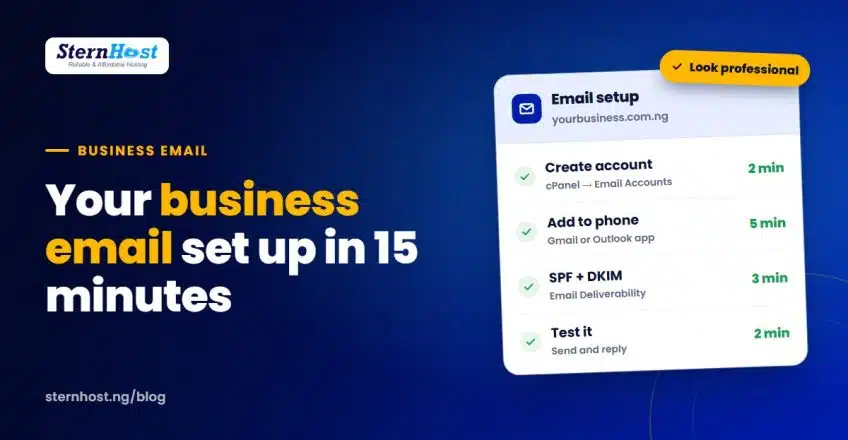
Quick answer: log in to cPanel → Email Accounts → Create, choose a name like info or sales, set a strong password, then add the account to the Gmail or Outlook app on your phone using the settings cPanel gives you. Finally, turn on SPF and DKIM in cPanel → Email Deliverability.
What you need before you start
- A domain name, such as yourbusiness.com.ng or yourbusiness.ng. If you don't have one yet, our guide to choosing a Nigerian business domain helps you pick.
- Hosting with email included. SternHost hosting plans include email accounts, so there's nothing extra to buy.
- Your domain pointed to your hosting. If you bought the domain and hosting together, this is already done.
- 15 minutes and your phone.
Step 1: Create the email account in cPanel
- Log in to your SternHost client area and open cPanel.
- Under Email, click Email Accounts, then + Create.
- Pick your domain from the list (if you have more than one).
- Type the username, the part before the @. For example, info, sales, hello or your name.
- Set a strong password. Use the generator and save it in a password manager.
- Choose the storage space (the default is fine for most businesses) and click Create.
That's the account done. You can open it straight away by clicking Check Email, which opens webmail in your browser. Our knowledge base has a step-by-step version with screenshots: how to create an email account in cPanel.
Which addresses should a small business create?
| Address | Use it for |
|---|---|
| info@ | General enquiries, shown on your website |
| sales@ or orders@ | Quotes, invoices and order questions |
| yourname@ | You, for partners, banks and suppliers |
| support@ | Customer help, if you have a team |
Start with one or two. You can add more any time, and you can forward one address to another so nothing gets missed.
Step 2: Set up business email on your phone
Most business owners in Nigeria read email on their phones, so this step matters most.
- In cPanel's Email Accounts, click Connect Devices next to your new address.
- Note the incoming (IMAP) and outgoing (SMTP) server names and ports shown there. Use the secure SSL/TLS settings.
- On your phone, open the Gmail or Outlook app and add another account. Choose Other (not Google), and pick IMAP when asked.
- Enter your full email address, password and the server settings from cPanel.
Always use the settings cPanel shows you for your account, rather than settings copied from a random website. The mobile setup guide in our knowledge base covers Android and iPhone.
Tip: IMAP keeps your phone, laptop and webmail in sync. If you read a message on your phone, it shows as read everywhere.
Step 3: Stop your business emails landing in spam
New business email addresses often land in spam because Gmail and Yahoo can't confirm the email really came from you. Two DNS records fix most of that:
- SPF lists which servers may send email for your domain.
- DKIM adds a digital signature that proves the message wasn't changed.
In cPanel, open Email Deliverability. If your domain uses SternHost nameservers, cPanel usually shows whether each record is valid, and offers a Repair button if one is missing. For the full details, see our guide to SPF, DKIM and DMARC. Google explains why these records matter in its email sender guidelines.
Step 4: Test it properly
- Send an email from your new address to a personal Gmail account.
- Check it arrived in the inbox, not spam or promotions.
- Reply from Gmail and make sure the reply reaches your phone.
- Send a test with an attachment, such as a PDF invoice.
If anything goes to spam, re-check Email Deliverability first. It's almost always SPF or DKIM.
Make your new address work for your business
- Add it to your email signature with your phone number, WhatsApp line and website.
- Put it on your website, invoices, Google Business Profile and Instagram bio.
- Use the same address on Paystack or Flutterwave, so payment receipts look consistent.
- Forward old mail. Tell regular customers your new address, and check your old Gmail for a few weeks.
Frequently asked questions
How much does it cost to set up business email in Nigeria?
If you already have SternHost hosting, email accounts are included at no extra cost. You only pay for the domain and hosting. Separate email services such as Google Workspace or Microsoft 365 charge per user each month instead.
Can I use my business email in the Gmail app?
Yes. Add it as an "Other" IMAP account in the Gmail app and you can send and receive from info@yourbusiness.com.ng alongside your personal Gmail.
Why are my business emails going to spam?
Usually because SPF or DKIM is missing or wrong. Open cPanel → Email Deliverability and fix any records it flags. Sending lots of identical bulk messages from a new address can also trigger spam filters.
Can I create more than one business email address?
Yes. You can create separate addresses for sales, support and each staff member, and forward addresses to each other so nothing gets missed.
Your business email, included with your hosting
You don't need a separate email subscription to look professional. Every SternHost hosting plan includes email on your own domain, managed from cPanel, along with free SSL, daily backups and fast LiteSpeed servers, all billed in naira.
Get web hosting with business email from ₦1,195/month and send your next invoice from info@yourbusiness.com.ng.