
Taking Back Your Domain From Your Web Designer: A Guide for Nigerian Businesses
It's a story we hear often. A business paid a web designer to build its website a few years ago. The designer registered the domain, managed everything, then moved on, stopped answering calls or simply became too busy. Now the domain is about to expire, and nobody at the business can log in to renew it. If you need to get your domain from your web designer and into your own name, this guide shows you how, without taking your website offline.
You'll learn how to check who legally owns your .ng or .com.ng domain, what to ask your designer for, and how to move it to an account you control.
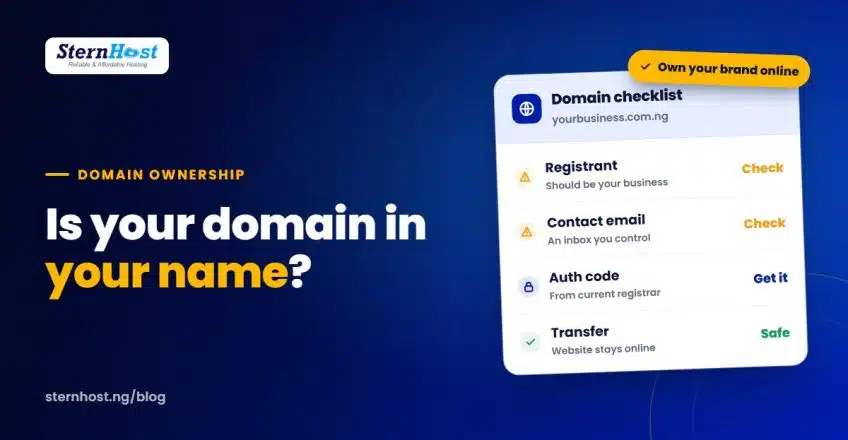
Quick answer: check the domain's registrant (the legal owner). If it isn't your business, ask your designer to update it to your business details and give you the auth code (EPP code). Then start a transfer to a registrar account in your own name. Keep your nameservers unchanged until the transfer completes, so your website and email stay online.
Why your domain should be in your name
Your domain is your address online. Your website, email, Paystack account, Google Business Profile and printed materials all depend on it. If someone else controls it:
- Renewals can be missed. If the designer's card expires or they forget, your website and email go down.
- You can't make changes such as connecting new email, a store or a new host.
- Disputes get messy. If you fall out with the designer, they hold the key to your brand.
A good web designer will happily put your domain in your name. It's normal, professional practice, and many designers prefer it because it removes renewal responsibility from them.
Step 1: Check who owns your domain
The legal owner of a domain is the registrant. Nigerian domains (.ng, .com.ng, .org.ng and others) are managed by the Nigeria Internet Registration Association (NiRA) through accredited registrars, so the registrant details are held by whichever registrar your designer used.
Ways to check:
- Ask your designer which registrar they used and whose name is on the domain.
- Look at old invoices or emails for a registrar name and renewal notices.
- Run a WHOIS lookup for your domain. Some details may be hidden for privacy, but you can usually see the registrar and the expiry date.
Write down three things: the registrar, the registrant name and the expiry date. If the domain expires in the next few weeks, renew it first and sort out ownership after.
Step 2: Ask your web designer for the right things
Keep it friendly and specific. Send a short message like this:
"Hi, we're getting our online accounts in order. Please could you update the registrant of yourbusiness.com.ng to our business name and email (details below), unlock the domain and send us the auth/EPP code? We'd like to manage renewals ourselves from now on. Thanks for all your help."
You need:
| Item | Why |
|---|---|
| Registrant updated to your business name and an email you control | Makes you the legal owner |
| Domain unlocked | A locked domain can't be transferred |
| Auth code (EPP code) | The password that authorises the transfer |
| Current DNS records (or a screenshot) | So your website and email keep working after the move |
If your designer has disappeared or won't help, contact the registrar directly with proof that the domain belongs to your business, such as your CAC certificate, invoices for the website and emails showing the domain in use. Each registrar has its own process for this.
Step 3: Transfer the domain to an account in your name
Once the registrant is your business and you have the auth code, transfer the domain to a registrar account you control. With SternHost, the requirements are:
- The domain was registered more than 60 days ago
- It hasn't been transferred in the last 60 days
- It's unlocked, and you have the auth/EPP code
- The contact email on the domain is one you can access
The steps:
- Search for your domain on the SternHost domain transfer page and choose Transfer.
- Enter the auth/EPP code.
- Complete checkout. The transfer request starts automatically.
- Watch your inbox for any confirmation emails and approve them.
Our knowledge base has a detailed walkthrough: how to transfer your domain to SternHost.
Step 4: Keep your website online during the move
A domain transfer changes who manages the registration. It doesn't have to change where your website is hosted.
- Don't change nameservers during the transfer. Leave them pointing at your current host until the transfer is complete.
- Keep your hosting active. If your designer also hosts the website, agree on a date before cancelling anything.
- Save your DNS records, especially MX records for email, before you start.
After the transfer, you can move hosting too, or leave it where it is. They are two separate decisions.
Get your domain from your web designer without a fight
Most designers aren't trying to hold anyone hostage. They registered the domain in their own name because it was quicker at the time. A polite, specific request usually sorts it out within days. Thank them, pay any genuine outstanding invoice, and keep the relationship good. You may want their help again.
Frequently asked questions
What if my web designer won't respond?
Contact the registrar that manages the domain and explain the situation. Provide proof the domain belongs to your business, such as your CAC registration, website invoices and emails showing the domain in use. The registrar will tell you its process for changing the registrant.
How long does a .ng domain transfer take?
It varies by registrar. Many .ng transfers complete within a few days to a week once the auth code is accepted and any confirmations are approved. Start well before your expiry date.
Will my website go down when I transfer my domain?
Not if you keep your nameservers and hosting unchanged until the transfer completes. The transfer moves the registration, not the website.
Do I need my designer's permission to transfer my domain?
If the domain is registered in the designer's name, yes: as the registrant, they need to update the details or release the auth code. If it's already in your business name, you can request the auth code from the registrar yourself.
Put your domain in your name with SternHost
Once your domain is in your name, keep it somewhere you control. SternHost handles .ng, .com.ng and .org.ng domains with clear naira pricing (a .ng domain is ₦10,200/year at the time of writing), renewal reminders to your own inbox, and support from a team that does this every day.
Transfer your domain to SternHost and never worry about who holds the keys to your business name again.