
Your Website Is Down: What to Check First, Step by Step
A customer sends a WhatsApp message: "Your website isn't opening." Your heart sinks. Orders, enquiries and your reputation all depend on it. The good news is that when a website is down, the cause is usually one of a handful of simple things, and most can be fixed in minutes once you know where to look.
This guide walks you through seven checks in the order that finds the problem fastest, explains what each error message means, and tells you exactly what to do next.
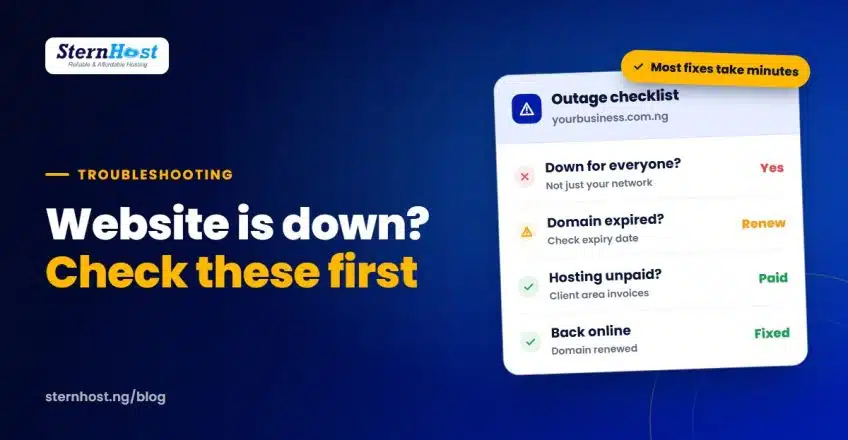
Quick answer: first confirm the site is down for everyone, not just your network. Then check, in order: domain expiry, unpaid hosting invoices, DNS or nameserver changes, SSL errors, error messages on the page, and recent changes such as plugin updates.
Check 1: Is your website down for everyone, or just you?
Nigerian networks have bad days. Before anything else:
- Open the site on mobile data and on Wi-Fi, or ask someone on a different network.
- Try a checker such as Down for Everyone or Just Me.
- If it opens for others but not for you, restart your router or phone, or clear your browser cache.
If it's down for everyone, keep going.
Check 2: Has your domain expired?
This is one of the most common causes, especially when someone else registered the domain. Signs: the site shows a parking page, an "expired" notice, or doesn't resolve at all, and your business email stops working too.
- Log in to your registrar account and check the expiry date.
- If it has expired, renew immediately. Most domains have a short grace period.
- If you can't log in because your web designer registered it, see our guide on moving your .ng domain from your web designer.
Check 3: Is your hosting invoice unpaid?
Hosting accounts are suspended when invoices go unpaid. You'll usually see an "Account Suspended" page.
- Log in to your hosting client area and look for unpaid or overdue invoices.
- Pay the invoice. Accounts are usually reactivated soon after payment is confirmed.
- Turn on renewal reminders and keep your contact email up to date, so invoices don't land in an inbox nobody checks.
Check 4: Did someone change DNS or nameservers?
If the site was moved, or someone "fixed" settings recently, your domain may point to the wrong server. Signs: a "This site can't be reached" or "DNS_PROBE_FINISHED_NXDOMAIN" error.
- Check your domain's nameservers match your hosting provider's.
- If they were just changed, allow time for DNS propagation, which can take a few hours.
- Our knowledge base explains how to fix "domain not found" and DNS errors.
Check 5: Is it an SSL (padlock) error?
If browsers show "Your connection is not private", the site isn't exactly down, but most visitors will leave.
- The SSL certificate may have expired or not renewed after a domain change.
- On cPanel hosting, free SSL usually renews automatically. You can run AutoSSL manually to refresh it.
- If you recently changed domain or nameservers, the certificate may need re-issuing.
Check 6: What does the error message say?
The message on screen is a strong clue:
| What you see | What it usually means | What to do |
|---|---|---|
| 500 Internal Server Error | A broken plugin, theme or code change | Undo the last change; check error logs |
| 503 Service Unavailable | Server overloaded or under maintenance | Wait a few minutes; contact your host if it continues |
| Error establishing a database connection | WordPress can't reach its database | Contact your host; check database settings |
| White screen | A PHP error, often a plugin | Disable the last plugin you installed or updated |
| 403 Forbidden | Permissions or security block | Check recent security changes; contact your host |
| Account Suspended | Unpaid invoice or policy issue | See Check 3 |
Check 7: What changed recently?
Websites rarely break on their own. Ask:
- Did anyone update WordPress, a plugin or a theme?
- Did anyone edit code or install something new?
- Did anyone change passwords, DNS or email settings?
If yes, undo that change first. If you have backups, restoring yesterday's copy is often the fastest fix.
Before your website is down again: prevention tips
- Put your domain in your name and turn on auto-renew.
- Pay hosting yearly to cut the number of renewal dates you can miss.
- Keep regular backups so you can restore quickly.
- Update plugins carefully, one at a time, after a backup.
- Choose reliable hosting. Uptime matters more than most business owners realise, as we explain in why 99.9% uptime matters for Nigerian businesses.
Frequently asked questions
Why is my website down but my email still works?
Your website and email often use different settings. If email works but the site doesn't, the domain is probably fine. Look at hosting, DNS for the website, SSL or an error on the site itself.
What should I do first when my website is down?
Confirm it's down for everyone using another network or an online checker. Then check your domain expiry date and your hosting invoices, which cause most outages.
How long does it take to fix a website that is down?
An expired domain or unpaid invoice can often be fixed within minutes of payment. DNS changes can take a few hours to spread. A broken plugin or hack may take longer, which is why backups matter.
Can my hosting company tell me why my site is down?
Yes. Open a support ticket with your domain name, the error message and when it started. Good hosts check server logs and tell you the cause.
Hosting that keeps you online, in naira
The best outage is the one that never happens. SternHost hosting runs on fast LiteSpeed servers with daily backups, free auto-renewing SSL and Imunify360 malware protection, with renewal reminders sent to your inbox and naira billing that won't fail because of a dollar card limit.
Get reliable web hosting from ₦1,195/month and stop worrying about the next "your website isn't opening" message.