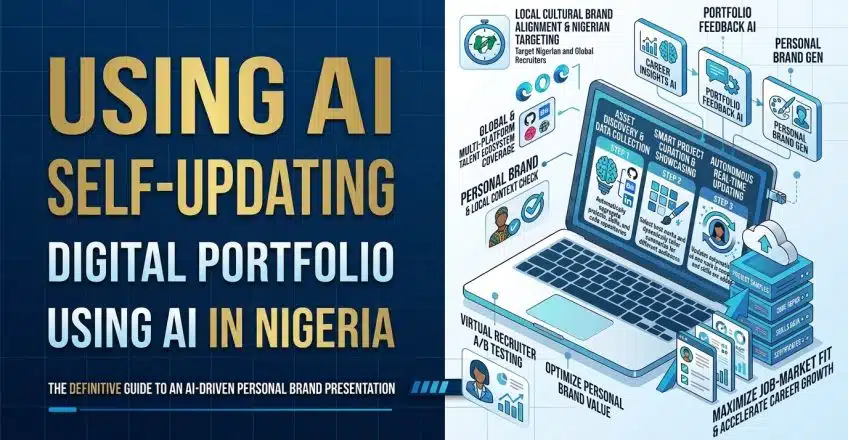

For freelance web developers and tech professionals operating in Nigeria, a digital portfolio is the most critical asset for client acquisition. However, maintaining that portfolio often becomes a tedious chore. When you are deep into coding sessions, dealing with power outages, or navigating fluctuating internet latency, manually updating your website to reflect your latest Git commits or completed client builds falls to the bottom of your priority list. Unfortunately, an outdated personal website signals stagnation to corporate clients looking for active, highly skilled local talent.
Transitioning to an automated architecture eliminates this maintenance burden entirely. By connecting your active working environments directly to your frontend platform, you can deploy a self updating digital portfolio that fetches your latest professional milestones automatically. When combined with artificial intelligence, this automated workflow goes beyond merely dumping raw data onto a web page; it actively reads your code commits, rewrites them into compelling, client-facing case studies, and perfectly formats the layout without requiring you to touch a single line of HTML.
Creating a Self Updating Digital Portfolio for Freelancers
A static website requires constant human intervention, which is highly inefficient in the fast-paced Nigerian tech ecosystem. If a potential client from Lagos visits your platform and sees that your last uploaded project was from two years ago, they will immediately assume you are no longer active in the industry. Automating your data retrieval allows your digital presence to mirror your actual daily output. Every time you push code to GitHub or publish a design on Behance, an automated webhook triggers a background process that updates your public-facing site instantly.
Artificial intelligence serves as the critical translation layer in this workflow. Raw developer data, such as a Git commit titled “fixed db query bug,” is meaningless to a non-technical business owner looking to hire you for an e-commerce build. Intelligent formatting scripts intercept this raw data, analyze the context of your work, and generate a polished summary that highlights the business value you delivered. This ensures your portfolio always speaks the language of high-paying corporate decision-makers, rather than just displaying dry, technical logs.
Before diving into the tools, you can use the interactive flowchart below to visualize how raw data from your daily coding environments gets transformed and pushed to your live website dynamically.
Why a Self Updating Digital Portfolio Secures High-Value Clients
Corporate clients operating in major commercial hubs prefer working with developers who demonstrate efficiency and systemic thinking. An automated digital presence acts as a live demonstration of your technical capabilities. When you can prove to a prospective client that your own business operations run on seamless, automated API pipelines, you instantly elevate your credibility. It shows you understand how to utilize modern tools to save time, which directly translates to how you will handle their projects.
Furthermore, this automated setup is incredibly data-efficient, which is a vital consideration for local network environments. Instead of manually uploading heavy screenshots or bloated project files over a slow 3G connection, your server handles the data transfer purely through lightweight background APIs. This ensures your website remains fast and highly responsive, capturing leads and processing inquiries smoothly without draining your personal mobile data bandwidth.
Tools and Steps for Building a Self Updating Digital Portfolio
Setting up an automated data pipeline requires connecting your active workspaces to a headless Content Management System (CMS) via an automation platform and a language model. This structured workflow ensures your data is fetched, cleaned, and published seamlessly.
You must follow these precise steps and utilize platforms like Make.com, OpenAI, and Webflow to build your automated portfolio system:
-
Set up a Make.com automation trigger: Create a scenario that listens for specific webhooks, such as a “Push” event on a specific GitHub repository or a new project publish on Behance.
-
Connect your data source: Link your Make.com account directly to your GitHub or Behance API so it can pull the raw project description, title, and metadata whenever the trigger fires.
-
Integrate an OpenAI formatting module: Route the fetched data into a ChatGPT module. Prompt the AI to act as a senior copywriter. Instruct it to rewrite the raw developer logs or design notes into a professional, two-paragraph case study that highlights the problem solved and the technologies used.
-
Connect to your Webflow or Framer CMS: Add a final module that pushes the AI-generated text and original project links directly into your website’s CMS database collection.
-
Publish dynamically: Configure your website platform to automatically publish the live page the moment a new CMS item is received, completely updating your digital storefront without manual intervention.