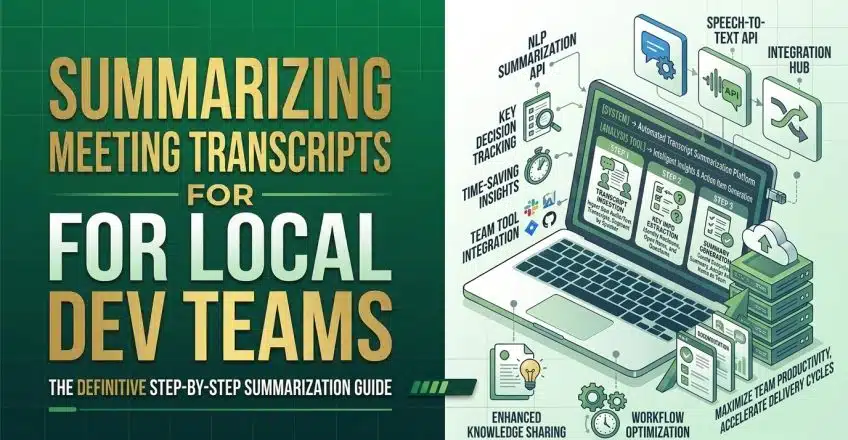

Managing client expectations across commercial hubs like Lagos and Abuja often involves lengthy, unstructured video calls that consume valuable engineering time. For local software development teams building data-driven web platforms, listening to hours of recorded conversations to extract specific project requirements is highly inefficient. When faced with unpredictable power grid fluctuations and tight project deadlines, developers cannot afford to manually sift through meeting recordings just to figure out which application programming interfaces or frontend components need to be built next.
Transitioning from manual note-taking to automated meeting analysis allows technical teams to focus entirely on writing code and securing server infrastructure. By deploying intelligent assistants directly into your digital workspace, you can instantly convert a chaotic hour-long client brainstorming session into a structured list of actionable deliverables. This ensures that no critical backend configuration or user interface modification is missed, even if local mobile network latency briefly disrupted your connection during the live call.
Automating Workflows by Summarizing Meeting Transcripts
Modern project management requires precision, especially when translating vague client requests into concrete technical milestones. Clients rarely speak in terms of database schemas or React component lifecycles; they discuss general business goals and marketing strategies. Bridging this communication gap manually takes hours of administrative work. Deploying artificial intelligence to handle this translation phase immediately eliminates the bottleneck, ensuring that your engineering pipeline remains fully saturated with well-defined tasks rather than ambiguous ideas.
Integrating automated transcription within your business operations is now easier than ever. Platforms like Google Workspace have natively embedded these capabilities into their communication suites. This means that the moment a client hangs up, your technical program managers can instantly access a clean, searchable document detailing exactly what was agreed upon, complete with clickable timestamps that link directly back to the original audio.
Why Summarizing Meeting Transcripts Accelerates Local Projects
The primary advantage of deploying intelligent summarization tools is the rapid formalization of development sprints. When your local agency is handling multiple cross-functional deliveries, maintaining accurate documentation prevents scope creep. If a client later demands a feature that was not discussed, you can quickly reference the automated summary to protect your operational budget. This level of rigorous documentation is a fundamental strategy for scaling a technical agency securely in a highly competitive regional market.
Furthermore, these tools are designed to filter out the background noise that often plagues local remote meetings. From generator hums to street traffic, AI models have become highly adept at isolating speech and identifying the core intent behind a conversation. By parsing the transcript, the AI can distinguish between a casual suggestion and a mandatory security compliance update, directly formatting the latter into a high-priority task for your engineering board.
Tools and Steps for Summarizing Meeting Transcripts Successfully
To extract the maximum value from your client consultations, you must utilize the correct software and configure it to output developer-friendly formats. Tools like the Gemini integration within Google Meet, alongside third-party extensions like Tactiq or Spinach AI, provide seamless ways to capture and process these conversations without requiring complex setups.
You must follow these precise steps to configure and utilize Gemini’s meeting companion for your development workflow:
-
Ensure you are operating on an eligible Google Workspace plan and open your Google Meet session on a desktop computer.
-
Click the “Activities” panel or the pencil icon labeled “Take notes with Gemini” located at the top right of your screen.
-
Click “Start taking notes” to authorize the AI to capture key technical decisions, architectural shifts, and action items in real time.
-
Open the automatically generated Google Doc in your Drive immediately after the meeting concludes.
-
Use the Gemini sidebar within the document to type a specific prompt, such as “List all backend database tasks and frontend UI changes assigned during this call”.
-
Export this structured output directly into your project tracking software to assign clear deadlines to your developers.
Executing these newly organized development tasks rapidly requires an underlying hosting environment that supports continuous integration and deployment. Deploy your fast, secure web applications on SternHost today. For just ₦1,195.00/month, you receive the enterprise-grade caching, unmetered bandwidth, and raw server processing speed necessary to scale your operations flawlessly 24/7.