
Add a WhatsApp Button on Your Website in 10 Minutes
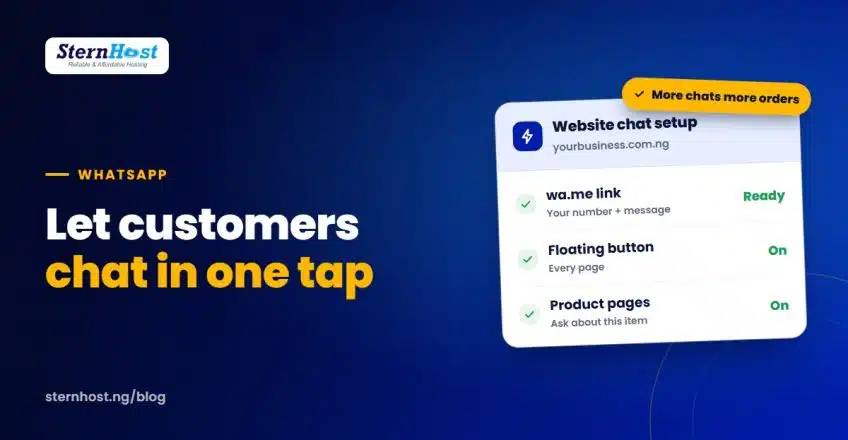
In Nigeria, many customers would rather send a quick WhatsApp message than fill in a contact form or wait for an email. A WhatsApp button on your website lets them start a chat with you in one tap, with your number already filled in and a ready-made message about what they're looking at.
This guide shows two easy ways to add one, how to make the button work harder on product pages, and how to turn those chats into paying orders.
Quick answer: create a wa.me link with your number in international format (for example wa.me/2348012345678), then either add it to a button in your page builder or install a free WordPress plugin that shows a floating WhatsApp button on every page.
Before you start
- Use a WhatsApp Business number if you can. The free WhatsApp Business app adds a business profile, quick replies, labels and away messages.
- Write your number in international format without the plus sign, spaces or leading zero: 0801 234 5678 becomes 2348012345678.
- Decide who answers and when. A button that nobody replies to does more harm than good.
Step 1: Create your WhatsApp link
WhatsApp's click to chat feature opens a chat with your number from any link:
https://wa.me/2348012345678
You can also add a pre-filled message, so customers don't have to think about what to type. Replace spaces with %20:
https://wa.me/2348012345678?text=Hello%2C%20I%27m%20interested%20in%20your%20products
Test the link on your phone before adding it anywhere.
Step 2, method A: A simple button with your page builder
If you just want a button in a few places, such as your header, contact page and footer:
- Edit the page in WordPress (Block Editor, Elementor or your theme's builder).
- Add a Button block.
- Set the text to something clear, like "Chat on WhatsApp".
- Paste your wa.me link as the button URL.
- Set it to open in a new tab if your builder offers the option.
This takes two minutes and needs no plugin.
Step 2, method B: A floating WhatsApp button with a plugin
A floating button stays in the corner of every page, so customers can reach you wherever they are. Two popular free plugins are Click to Chat and Joinchat.
- In WordPress, go to Plugins → Add New and search for the plugin.
- Install and Activate it.
- Open the plugin's settings and enter your number in international format.
- Add a default message, and choose the button position (bottom right is common).
- Save, then check your site on a phone.
Tip: pick one plugin. Running two chat plugins slows your site and can show two buttons.
Where to place your WhatsApp button
Placement matters as much as having the button at all. The best spots for most Nigerian business websites:
| Place | Why it works |
|---|---|
| Floating, bottom right | Always visible on phones without getting in the way of reading |
| Header or top bar | Customers who want to chat before browsing find it straight away |
| Product pages, near the price | Catches buyers at the moment they have a question |
| Contact page | Next to your phone number, email and address |
| Footer | A last chance for visitors who scrolled to the end |
Avoid covering your Add to cart button, cookie notice or the bottom of checkout on small screens. Check every important page on an actual phone after you add it.
Opening hours matter too. If you can only reply between 8am and 6pm, say so next to the button ("Chat with us, 8am–6pm, Mon–Sat") or set an away message. Customers are far more patient when they know when to expect a reply.
Make the button work harder on product pages
A general "Hello" chat is good. A chat that already says which product the customer wants is better.
- Most WhatsApp plugins can add the product name and page link to the message automatically, for example: "Hi, I'd like to order: Ankara head wrap set (₦18,500)".
- Add a button label like "Ask about this item" near the price.
- Keep a normal Add to cart button too, so customers who want to pay straight away can, for example through Paystack. Our Paystack WooCommerce setup guide shows how.
Turn chats into orders
- Reply fast. Set an away message with your working hours, and use quick replies for prices, delivery and payment details.
- Send a payment link, not just an account number. A Paystack link or your website's checkout looks more professional and confirms payment automatically.
- Label chats in WhatsApp Business: new enquiry, awaiting payment, paid, delivered.
- Ask for reviews after delivery, and add the best ones to your website.
For more ways to capture enquiries, see our guide on collecting website leads in Nigeria.
Common problems with a WhatsApp button on your website
| Problem | Fix |
|---|---|
| Link opens the wrong number | Check the international format: 234, then the number without the first 0 |
| Message looks garbled | Encode spaces as %20 and special characters properly, or let the plugin build the link |
| Button covers other buttons on mobile | Move it, or raise it slightly above your cart or cookie banner |
| Site got slower | Remove extra chat plugins; keep only one |
Frequently asked questions
Is a WhatsApp button on your website free?
Yes. wa.me links are free, and the plugins mentioned have free versions. You only need a WhatsApp or WhatsApp Business account on your phone.
Can I use my personal WhatsApp number?
You can, but a separate WhatsApp Business number keeps work and personal chats apart and gives you business tools such as quick replies and labels.
Will a WhatsApp button replace my contact form?
Keep both. Some customers prefer WhatsApp, others prefer email or forms, especially for detailed requests or attachments.
Does a WhatsApp button work on desktop computers?
Yes. On a computer, the link opens WhatsApp Web or the WhatsApp desktop app, where the customer can chat if they're logged in.
A fast WordPress website for your WhatsApp customers
A WhatsApp button works best on a website that loads quickly on mobile data. SternHost WordPress hosting gives you fast LiteSpeed servers, free SSL, daily backups and one-click WordPress, all billed in naira.
Get WordPress hosting from ₦1,450/month and make it easy for every visitor to start a conversation.